SVG vs PNG/JPG: why vector formats are essential for performance and SEO
Fewer KB to download, crisp rendering from mobile to 4K, better Core Web Vitals. Here's why developers and SEO experts are switching their logos and icons to SVG.
How to optimize a PNG or JPG logo to SVG (3 steps)
No Illustrator needed. PixelToPath vectorizes your file and gives you an SVG ready to embed in HTML.
Upload the PNG or JPG
Drop the logo, icon, or pictogram currently served as PNG or JPG. The simpler the path (solid colors, sharp edges), the smaller the SVG will be.
Choose the right preset
Black & White for a logotype or monochrome icon. Poster if the logo has a few flat colors. Avoid Photo: too much detail bloats the SVG with no visual gain for a logo.
Embed the SVG on the site
Download the file and serve it as an image, a sprite, or an inline SVG. A single file replaces the @1x, @2x, and @3x variants.
PNG and JPG: perfect for photos, too heavy for UI
PNG and JPG are raster formats: the image is a grid of pixels. A logo exported as a 512×512 PNG "photographs" every dot. To stay crisp on a Retina screen, you often have to serve a version two or three times larger, meaning two or three times more KB. JPG compresses photos better, but it destroys flat colors, adds artifacts around text, and doesn't support transparency. Neither is designed for a logotype or icon that needs to display at 24px in navigation and 240px in the hero banner.
SVG (Scalable Vector Graphics) describes shapes using curves and coordinates, not pixels. Vectorizing a PNG with PixelToPath means replacing a static bitmap with a path that the browser redraws to the exact screen size. The result: typically a much lighter file, and identical sharpness on mobile, desktop, and 4K screens.
What SVG practically changes for a website
For the interface, SVG isn't an aesthetic "bonus". It's a performance lever: fewer bytes over the network, fewer variants to maintain, simpler caching, and native vector rendering in all modern browsers.
The most visible gains for a developer or SEO:
- Weight: a simple logo often goes from 40 to 80 KB in PNG to a few KB in SVG, and you eliminate the @2x / @3x exports
- Scalability: a single file, sharp at 16px as well as full 4K screen, without srcset or image media queries
- Core Web Vitals: less data to download (LCP) and a stable placeholder via viewBox (CLS)
- Technical SEO: faster pages on mobile, a format Google understands, and text potentially present within the SVG
PNG vs SVG: a logo's weight is not trivial
Images remain one of the biggest weight factors of a page. We optimize photos in WebP, but forget the header logo and the twenty PNG icons in the CSS. Yet these files are repeated across all URLs: every millisecond lost is lost across the entire site.
Orders of magnitude observed after vectorization with PixelToPath, in the typical scenario of a showcase site or web app:
| Scenario | PNG / JPG | SVG |
|---|---|---|
| 512px logo with transparency | 40 to 80 KB | 2 to 12 KB depending on colors and nodes |
| Same logo served @2x (1024px) for Retina | Weight doubles, sometimes triples | One single file, unchanged |
| 20 UI icons exported @3x (72×72) | 40 to 160 KB added to the interface | A few KB in total |
| Flat-color logo from a JPG | Artifacts and halos around shapes and text | Clean edges, and an even lighter file |
The rule is simple: anything that is a shape, text, pictogram, or logotype benefits from being an SVG. Photographs and screenshots stay in JPG, WebP, or AVIF. SVG isn't a universal replacement: it's the right format for the interface.
Scalability: one crisp file from smartphone to 4K
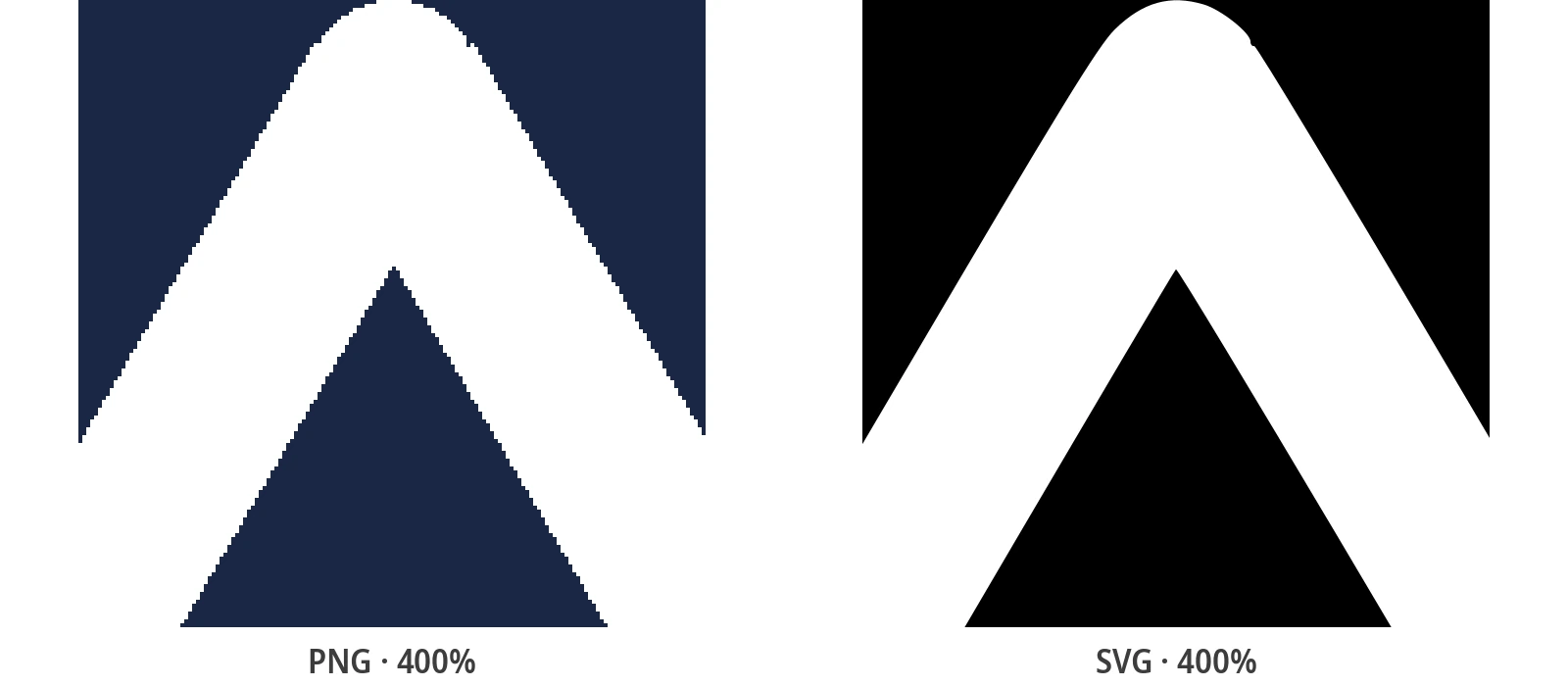
A PNG is only sharp at its native resolution. Scaled up, you see the pixels. Scaled down aggressively, the browser has to resample. Hence the gymnastics of @1x, @2x, @3x files, srcsets, and CSS densities. Each new breakpoint or new screen density (Retina, recent phones, 4K monitors) requires a new export, or a file that is too large "just in case".
An SVG ignores this constraint. The rendering engine calculates the curves at the requested CSS size. 32px favicon, 48px logo in the navigation, same brand mark at 400px in the banner, 4K projection: it's the same file. No blurriness, no aliasing, no second request for the high-density version. For a component library, it also means less debt: one icon, one file, all sizes.
Core Web Vitals and SEO: why Google cares about the format
Mobile speed is a ranking factor. Core Web Vitals (LCP, INP, CLS) measure what the user experiences. Replacing a heavy PNG logo or a bunch of raster icons with SVGs won't make a page go from 4 MB to 40 KB. But on the site's layout, the effect is immediate, especially on a 4G network or when an LCP is bottlenecked by the header logo.
Practically, the vector format helps three metrics, provided you keep the path complexity reasonable:
- LCP (Largest Contentful Paint): if the largest visible element is a logo or a flat illustration, a few-KB SVG arrives sooner than a 150 KB PNG @2x. Less network contention for the rest of the page
- CLS (Cumulative Layout Shift): an SVG with width, height, and viewBox reserves its box right from the HTML parsing. No more waiting for bitmap decoding to know the ratio, thus fewer layout shifts
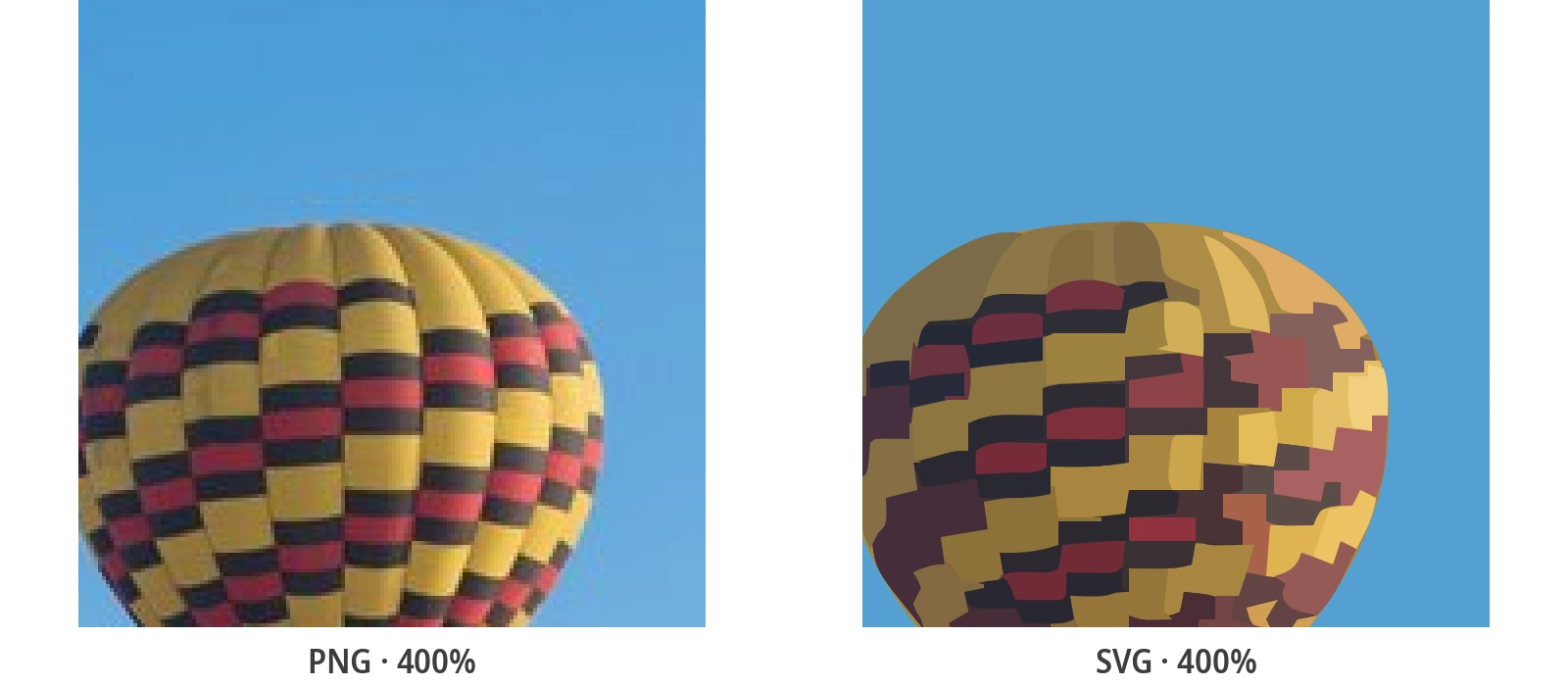
- INP and main thread: a simple SVG (logo, icon) is cheap to paint. However, avoid "photo" SVGs with thousands of paths: they can weigh more than a PNG and make the CPU work hard. Hence the value of clean tracing via PixelToPath, not a pixel-by-pixel copy
- SEO beyond speed: Google indexes SVGs. An embedded logo can have an accessible title. An SVG image with an alt attribute remains foundational. And a lighter page reduces technical bounce rate, an experience signal factored into ranking
Why vectorize with PixelToPath rather than exporting manually?
You already have the client's PNG, not the Illustrator source file. PixelToPath recreates clean paths, free and ready for the web.
Lightweight SVG, ready to use
The engine produces usable paths, not a node factory. Ideal for a logo or icon you'll serve on every page view.
Completely free
No design subscription, no watermark on the SVG. Vectorize your entire brand guidelines (logo, favicon, icon set) at zero cost.
File privacy
Brand files are processed and then discarded. Nothing is stored, nothing is reused. Suitable for brand guidelines under NDA.
Logos and pictograms presets
Black & White for monochrome icons, Poster for flat color logos. You control the level of detail before export.
Batch processing on desktop
Have a set of PNG icons to convert to SVG? The open-source Windows / Linux app processes files offline, without quotas.
PNG, JPG, BMP, WebP
One single tool, whether the logo arrives as a transparent PNG, a scanned JPG, or a WebP export from Figma.
Where SVG beats PNG/JPG on a real site
This isn't theoretical. Here are the places where the vector format pays off immediately:
- Header and footer logo: a single file, crisp on Retina, often one of the most viewed elements, and sometimes the LCP on a minimalist homepage
- Icon system: no more 1x/2x PNG sprites. Each pictogram is an SVG (or SVG sprite), stylable with CSS (currentColor) without a new export
- Favicon and apple-touch: a modern SVG favicon plus a fallback PNG avoids maintaining a bunch of 16, 32, 180px sizes
- UI illustrations and empty states: flat vector drawings stay sharp full screen, without costing the weight of a hero image
- SEO landing page: every KB saved on the layout improves Lighthouse, PageSpeed Insights, and the mobile experience, signals that ranking aggregates
Keep JPG/WebP for photos. Move logos, pictograms, and flat illustrations to SVG. This is the split that the fastest sites already apply.
Related conversion guides
Vectorize your files, then dive deeper into the format that concerns you.
Frequently Asked Questions
Is an SVG always lighter than a PNG or a JPG?
For a logo, icon, or flat illustration: yes, almost always, especially if you compare the PNG to its Retina version. For a photograph, no: a "photo" SVG becomes a cloud of paths heavier than a JPG or WebP. Vectorize the UI, compress the photos.
Does SVG really improve Core Web Vitals and SEO?
It improves what UI images can improve: fewer bytes (LCP if the logo or illustration is the main element), a predictable rendering box (CLS), fewer variants to download. Google uses speed as a signal, especially on mobile. It's not a magic ranking shortcut, it's technical hygiene measured in PageSpeed Insights.
Should I replace all site images with SVG?
No. Photos, screenshots, textures, complex gradients: JPG, WebP, or AVIF. SVG for logos, icons, diagrams, pictograms, flat illustrations. An overly detailed SVG can harm INP. PixelToPath's Photo preset is for stylizing, not for replacing a content JPEG.
How to embed an SVG without causing CLS?
Always provide a width and a height (or a CSS aspect-ratio) that match the viewBox. With an image tag (src, width, height, alt), the browser reserves the space before downloading. For inline SVG, keep the viewBox and avoid injecting the code after the first paint without dimensions.
How do I get a logo SVG from a PNG with PixelToPath?
Open the online tool, drop the PNG (ideally on a transparent background, fairly large), choose Black & White or Poster, adjust the detail, then convert. Open the SVG in the browser or Figma to check the outlines, then serve it in production. Free, no account, files are not retained.
Convert your PNG logo to SVG, measure the weight
Upload your current file, download the SVG, compare the KBs. Free, no signup. The first Core Web Vitals lever is often right there.
Support Open Source Development
PixelToPath is free to use. If this tool helped you save time, consider buying me a coffee.
❤️ Donate via PayPal