🔒 100% Private & Offline
Your images never leave your computer. No upload, no server, no cloud. PixelToPath runs entirely on your local machine - the safest way to convert sensitive or confidential designs.
PixelToPath is a free, open-source desktop tool that transforms your bitmap images into clean, scalable vector graphics - completely offline. No file uploads, no waiting lists, no subscription fees. The only PNG to SVG converter without internet that you install once and own forever.
Powered by VTracer technology • 100% Open Source • Offline Privacy
Your images never leave your computer. No upload, no server, no cloud. PixelToPath runs entirely on your local machine - the safest way to convert sensitive or confidential designs.
No upload, no waiting, no server queue. PixelToPath converts images in milliseconds using the powerful VTracer engine directly on your CPU.
No "3 free credits per day" limits. Convert as many PNGs as you want, whenever you want. Ideal for batch processing assets for web development or graphic design.
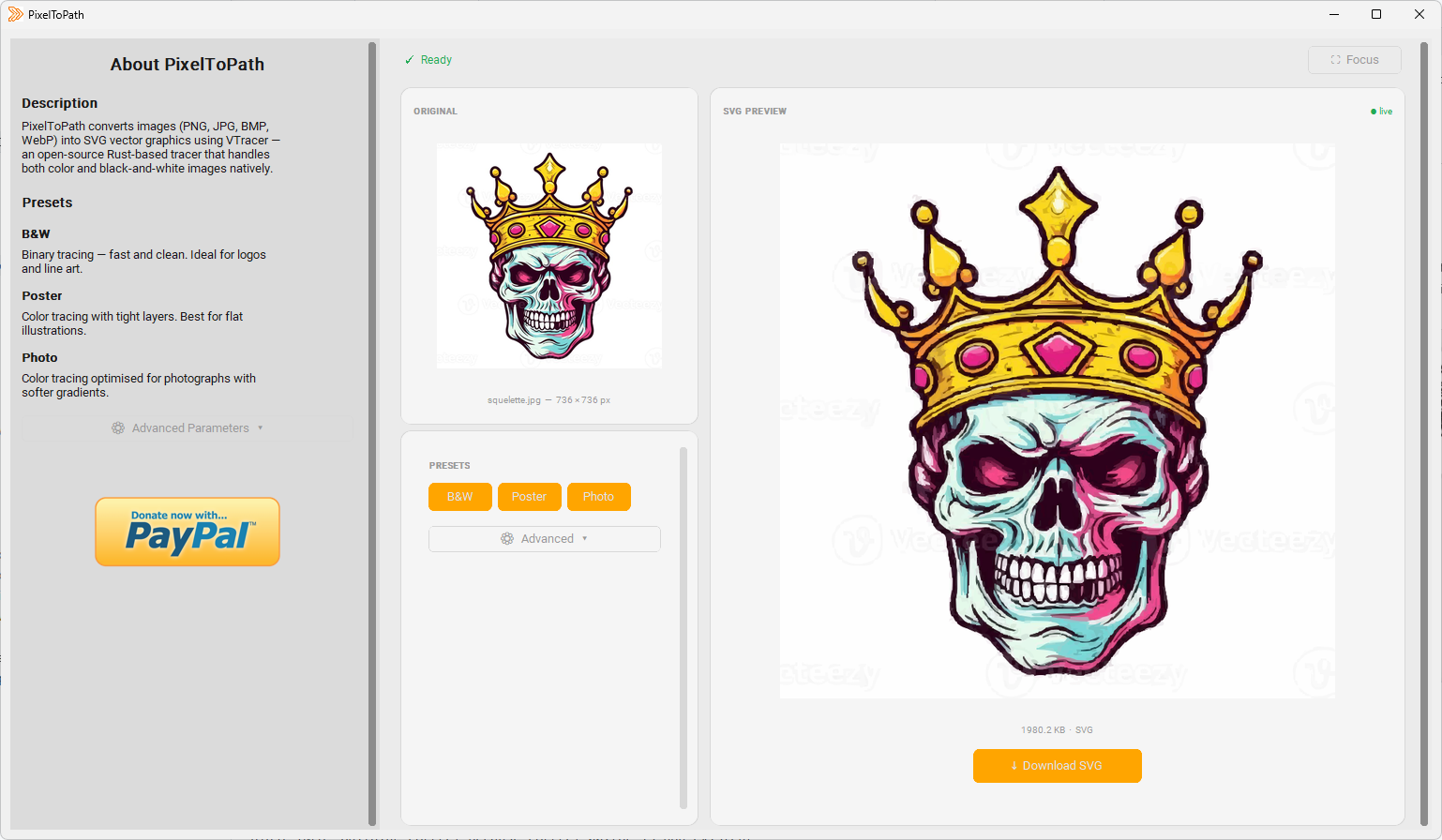
Vectorization is essential for designers who need to scale logos without losing quality. Here is how to use PixelToPath:
The resulting SVG path is compatible with Adobe Illustrator, Inkscape, Figma, and web browsers.
Join thousands of users converting images simply.
Also available on: SourceForge | GitHub Releases
Whether you're a professional designer or a hobbyist, PixelToPath fits seamlessly into your workflow - especially when privacy and speed matter.
Convert client logos, hand-drawn sketches, and raster icons into clean, scalable SVGs. No need to trust a third-party server with confidential brand assets. Work offline at full speed, even without Wi-Fi.
Batch-convert PNG icon sets to SVG for your web projects. SVG files load faster, scale perfectly on retina displays, and can be styled with CSS. PixelToPath handles the conversion instantly, so you can focus on building.
Prepare artwork for vinyl cutters, laser engravers, and large-format printing. These machines require vector paths, not pixels. PixelToPath converts your PNG template into a print-ready SVG file in seconds.
Working with sensitive documents, medical illustrations, legal diagrams, or proprietary blueprints? Online converters upload your files to remote servers. PixelToPath is a PNG to SVG converter without upload - your files stay local, always.
Use PixelToPath in classrooms, labs, or on school computers where internet access may be restricted. Its zero-dependency, offline-first design makes it ideal for educational environments on Windows or Linux.
Integrate vectorized assets into hardware projects, embedded interfaces, or microcontroller displays. SVG paths generated by PixelToPath are clean, compact, and ready for further processing or scripting.
PixelToPath is also available as a free online tool - no installation required. Upload your image, adjust settings, and download your SVG in seconds from any device.
Try the Online Tool →PixelToPath also offers a free online version - but if you need maximum privacy, speed, or work without internet, the desktop app is the right choice.
| Feature | PixelToPath Desktop | Other Online Tools |
|---|---|---|
| Works offline | ✅ Yes - no internet needed | ❌ No - requires internet |
| File privacy | ✅ Files never leave your device | ❌ Files uploaded to remote servers |
| Conversion limits | ✅ Unlimited | ❌ Often 3-5 free/day |
| Speed | ✅ Milliseconds (local CPU) | ⚠️ Depends on server load |
| Subscription required | ✅ Never | ❌ Often paywalled for full quality |
| Open source | ✅ MIT License | ❌ Proprietary |
| File size limit | ✅ None | ❌ Often capped at 5-10 MB |
PNG (Portable Network Graphics) is a raster image format. It stores images as a fixed grid of pixels. When you zoom in or print a PNG at a large size, you will notice the image becomes blurry or pixelated. PNG files are great for photographs, screenshots, and web graphics at a fixed size - but they do not scale.
SVG (Scalable Vector Graphics) is a vector image format. Instead of pixels, it describes shapes using mathematical paths and coordinates. An SVG logo can be displayed at 10px or 10 meters with perfect sharpness. SVG files are also smaller in size, editable in code, and stylable with CSS - making them ideal for logos, icons, and illustrations.
Vectorization is the process of converting a raster image (like a PNG) into a vector file (like an SVG). PixelToPath uses the VTracer engine to trace the shapes and colors of your image and generate smooth, scalable SVG paths. This is essential when you need to resize a logo without losing quality, or prepare artwork for a laser cutter or screen printer.
Yes. PixelToPath is a fully offline PNG to SVG converter. Once installed, it requires zero internet connection to function. This makes it ideal for use in restricted environments, on flights, or anywhere Wi-Fi is unavailable.
Completely free. PixelToPath is open-source software released under the MIT license. There are no conversion limits, no watermarks on exported SVGs, no subscriptions, and no "pro" tier. You can convert as many files as you want, forever.
Yes - this is one of PixelToPath's biggest advantages. Because it runs entirely on your local machine, your files are never uploaded to any server. This makes it the safest choice for converting confidential logos, legal documents, medical illustrations, or any proprietary artwork.
The exported SVG files are fully standard and compatible with Adobe Illustrator, Inkscape, Figma, Affinity Designer, CorelDRAW, all modern web browsers (Chrome, Firefox, Safari, Edge), and any other application that supports the SVG format.
PixelToPath is currently available for Windows (64-bit) and Linux. macOS support may be added in a future release. Check the GitHub repository for the latest updates.
VTracer is a modern open-source vectorization engine written in Rust. Unlike older tools that only handle black-and-white images, VTracer natively supports full-color vectorization using a multi-layer clustering algorithm. It produces clean, compact SVG paths and is significantly faster than traditional bitmap tracers. PixelToPath provides a user-friendly interface on top of VTracer so anyone can use it without command-line skills.
Yes. Unlike online tools that throttle you to a few free conversions per day, PixelToPath has no limits. You can convert hundreds or thousands of PNG files without any restrictions, making it ideal for batch processing icon sets and large asset libraries.
PixelToPath is free to use. If this tool helped you save time, consider buying me a coffee.
❤️ Donate via PayPal